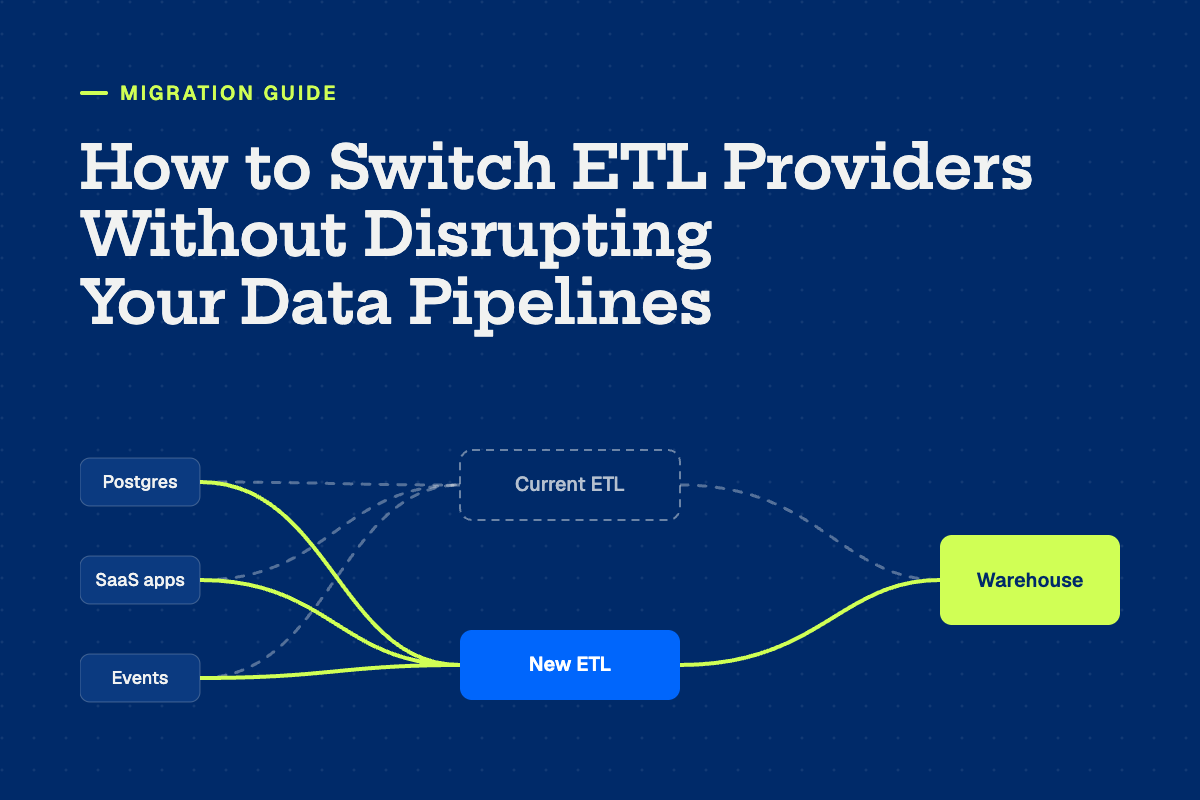
How to Switch ETL Providers Without Disrupting Your Data Pipelines


Most data teams don't stay on an ETL provider because they love it. They stay because switching feels risky. Every dashboard, dbt model, and reverse ETL sync in the company sits downstream of those pipelines, and nobody wants to be the person who broke the board deck during a migration.
The good news is that the tool swap itself is rarely what goes wrong. Disruption comes from a handful of predictable places: history that doesn't line up, schemas that change shape, CDC gaps during cutover, and contract timing that forces a rushed move. Plan for those and a switch can be close to invisible to the rest of the business.
Here's how to do it.
Why teams switch in the first place
It's worth being honest about the reason, because it shapes the plan.
For a lot of teams it's cost. Usage-based pricing that looked reasonable at signing gets harder to predict as data grows, and pricing changes tend to surface at renewal, when there's the least time to react. If you're on Fivetran, our breakdown of how monthly active rows drive your bill is a good place to start.
For others it's reliability. A sync reports success, the row counts look fine, and someone in finance still finds a number that's wrong. When that keeps happening and you can't see why, the tool becomes the bottleneck.
And some teams are simply tired of paying for, and maintaining, separate tools for ingestion, reverse ETL, and observability. If that's you, the migration is also a chance to consolidate. We wrote a decision framework for that question.
If cost is the driver, your contract date sets the timeline. If reliability is the driver, your validation plan matters most. Most teams have some of both.
Where ETL migrations actually break
Historical data
Your current provider has months or years of history sitting in the warehouse. A new tool can either resync everything from the source or pick up where the old one left off. Resyncing is cleaner, but it can hit API rate limits, take days on large tables, and run up warehouse compute. Picking up mid-stream is faster, but it only works if the new tool can write into the existing table structure.
Schema differences
Two tools pulling from the same Salesforce org won't produce identical tables. Column names, data types, how deletes are handled, metadata columns like sync timestamps: all of these vary. Every dbt model and BI query that references the old shape will break quietly if you don't account for it.
CDC gaps
For databases replicated with change data capture, the risky moment is the handoff. If the old connector stops before the new one has its starting position in the log, you lose changes. If they overlap without deduplication, you get duplicates.
Contract pressure
Teams that start two weeks before renewal end up cutting corners on validation. Teams that start too early pay for two tools for months.
A step-by-step plan for switching without disruption
1. Work backward from your renewal date
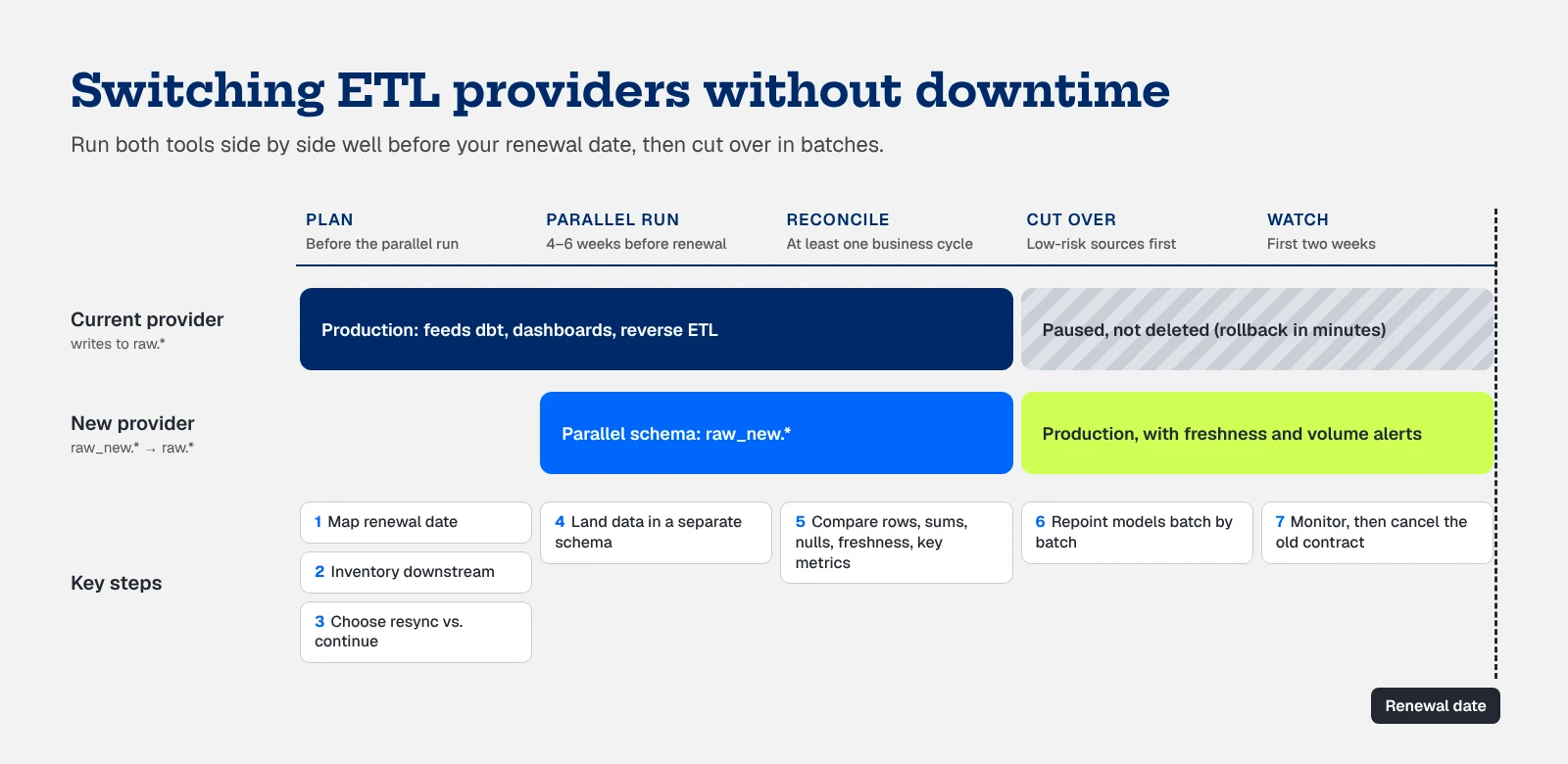
Find the date your current contract renews and the notice period for cancelling. Plan to have the new provider running in parallel four to six weeks before that, which gives you time to validate without paying twice for long. If you're already close to renewal, ask your current vendor about a short extension or a month-to-month bridge rather than rushing.
2. Inventory connectors and everything downstream
List every connector, the tables it writes, its sync frequency, and what reads from those tables: dbt models, dashboards, reverse ETL syncs, ML features. This is where column-level lineage pays for itself. Without it, you'll find dependencies the hard way, usually from a Slack message.
Then rank sources by risk. A marketing tool feeding one dashboard is low risk. The production Postgres database feeding revenue reporting is not.
3. Decide how each source handles history
For each source, choose between a full resync and continuing from the existing tables. Small SaaS sources are usually fine to resync. Large database tables and sources with strict API limits are better candidates for continuing in place, if the new provider supports it. Ask directly whether they can match your existing table and column structure, because that decides how much downstream work you'll have to do.
4. Run both tools in parallel, into separate schemas
Never point a new tool at production tables first. Land its data in a parallel schema (for example, raw_new.salesforce next to raw.salesforce) and let both run for at least a full business cycle. A week catches most problems. If you have monthly processes like billing or a finance close, try to include one.
5. Reconcile at the table level and the metric level
Row counts are the start, not the finish. Compare:
- Row counts and primary key coverage per table
- Sums of key numeric fields like amounts and quantities
- Null rates on the columns that matter
- Freshness, meaning when each table was last updated
- The handful of metrics leadership actually looks at, like ARR, pipeline, and active users, computed from both schemas
That last check matters most. A table can match on row count and still produce a different revenue number because of how deletes or updates were handled. If finance would notice the difference, you want to notice it first.
6. Cut over in batches, starting with low-risk sources
Move a few low-risk sources first, repoint their downstream models, and confirm nothing breaks. Then work up to the critical ones. For CDC sources, cut over during a quiet window, confirm the new connector's log position before stopping the old one, and dedupe any overlap.
Pause old connectors instead of deleting them. If something goes wrong in week one, you want to be able to switch back in minutes.
7. Watch the first two weeks closely
Set up alerts for freshness, volume drops, and schema changes on every migrated table before you cut over. Most post-migration issues show up as a table that quietly stopped updating or a row count that dropped by a third. Our guide to detecting pipeline failures before they hit the business covers what to monitor.
Once everything has been stable through a full cycle, cancel the old contract and delete the paused connectors.
What to ask a new provider before you sign
The provider you pick decides how much of the above you have to do yourself. Before signing, ask:
- Can you write to my existing table structure? If yes, your downstream models may not need to change at all.
- Who does the migration work? Some vendors hand you docs. Others move connectors and configs with you.
- Can I run in parallel without paying double? A trial or migration period that covers the overlap removes most of the cost pressure.
- How is pricing calculated, and what makes it go up? If you're switching because of a surprise bill, make sure you understand the next one. Our guide to ETL pricing models covers the common structures.
- What happens when a sync succeeds but the data is wrong? Ask how they detect it, not just whether they alert on failed syncs.
What this looks like in practice
When Kiva replaced its legacy ETL provider, the two things it cared about most were zero migration downtime and not paying for two tools at once. It got both, and cut its ETL costs by 25% along the way. Recharge moved off Fivetran to fix recurring replication failures and consolidated its data stack in the process.
If you're leaving Fivetran specifically, our Fivetran migration checklist goes deeper on the Fivetran-specific details, and this step-by-step guide covers the full move.
See what your switch would look like
Matia brings ETL, reverse ETL, observability, and a data catalog into one platform. It's backwards compatible with Fivetran, so connectors and configs move over in days instead of months, and our team helps plan the parallel run and cutover so nothing downstream notices.
Book a demo and we'll walk through what a migration would look like for your stack.