
.svg)


Email to Data Warehouse Automation: Matia's Email Connector for Data Teams



No matter how advanced our data stacks get, one truth remains: a surprising amount of business data still arrives via email.
Financial reports, campaign exports, partner files. Critical data continues to flow through inboxes as attachments. For many teams, this means manual downloads, inconsistent file formats, and delayed data availability.
These email-based workflows create blind spots. Data engineers spend hours manually uploading CSVs into warehouses, analysts work with outdated numbers, and business users wait for insights that could have been automated.
That’s why we built the Matia Email Connector, a powerful new connector any inbox into a live data pipeline. It automatically extracts email attachments, parses them intelligently, and syncs the data directly into your data warehouse.
What is the email attachment connector?
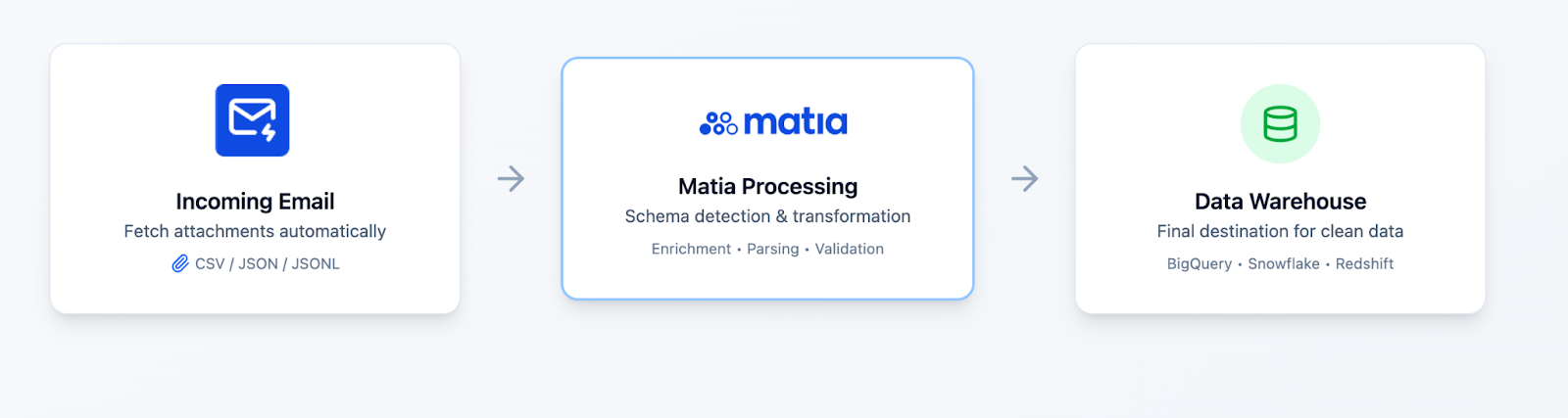
The Email Attachment Connector turns everyday emails into structured data.
Each integration gets a unique Matia-managed email address, simply send (or forward) your data files there, and Matia takes care of the rest.
Here’s how it works:
- Automatic attachment detection – CSV, JSON, JSONL, or NDJSON files are recognized and processed instantly.
- Smart parsing and schema inference – Column types and structures are detected automatically.
- Direct warehouse loading – Data lands in your selected schema and table, ready for queries, just like any other Matia connector
- Metadata enrichment – Each row includes a timestamp and file name for full traceability.
No manual uploads. No scripts. No pipelines to maintain.
Just email → warehouse — all managed through Matia’s scalable infrastructure.
Key benefits include:
- Zero manual effort or file handling
- Scheduled and automated syncsBuilt-in, enterprise grade security and data isolation
- Enterprise grade security
Enterprise-grade security for email data automation
Email-based data workflows need robust security. Each Matia email integration operates with complete data isolation and enterprise-level protection.
Built in security means:
- Unique, isolated email addresses - Every integration gets a dedicated Matia-managed email address, ensuring complete separation between data sources
- Encrypted data processing - All attachments are encrypted in transit and at rest using industry-standard protocols
- Access controls- Role-based permissions determine who can create integrations and view incoming data
- Audit logs - Complete traceability of every file received, processed, and synced to your warehouse
Matia's Email Connector is built to meet enterprise compliance requirements. Our infrastructure supports SOC 2 Type II and HIPAA-compliant workflows, with data residency options available.
Your email data never touches third-party storage. Files are immediately synced to your designated data warehouse, where your existing security policies and access controls apply.
Real-world use cases
The Email Attachment Connector is designed for data teams who deal with email-based workflows across multiple domains. Here are four common use cases we’ve already seen in action:
1. Marketing campaign data
Scenario: Ad platforms and email tools send weekly CSV performance summaries.
Example: Facebook Ads, Google Ads, or Mailchimp exports.
Benefit: Combine these reports with API data to create a 360° marketing view. No more waiting on spreadsheets.
2. Client & partner data exchange
Scenario: B2B partners send periodic data updates (inventory, sales).
Example: Retailers or distributors sending weekly CSVs.
Benefit: End manual uploads. Every partner email lands directly in your warehouse, securely isolated per integration.
3. Legacy system integration
Scenario: Older systems that can only export reports via email.
Example: ERP or HR systems with no modern API.
Benefit: Bridge old and new systems without expensive migrations. Start with email, move to API-based connectors later.
4. Survey & form data collection
Scenario: Tools like Typeform or Google Forms send response data via email.
Benefit: Automatically centralize responses for analysis, segmentation, or reporting in your data warehouse.
How It Works
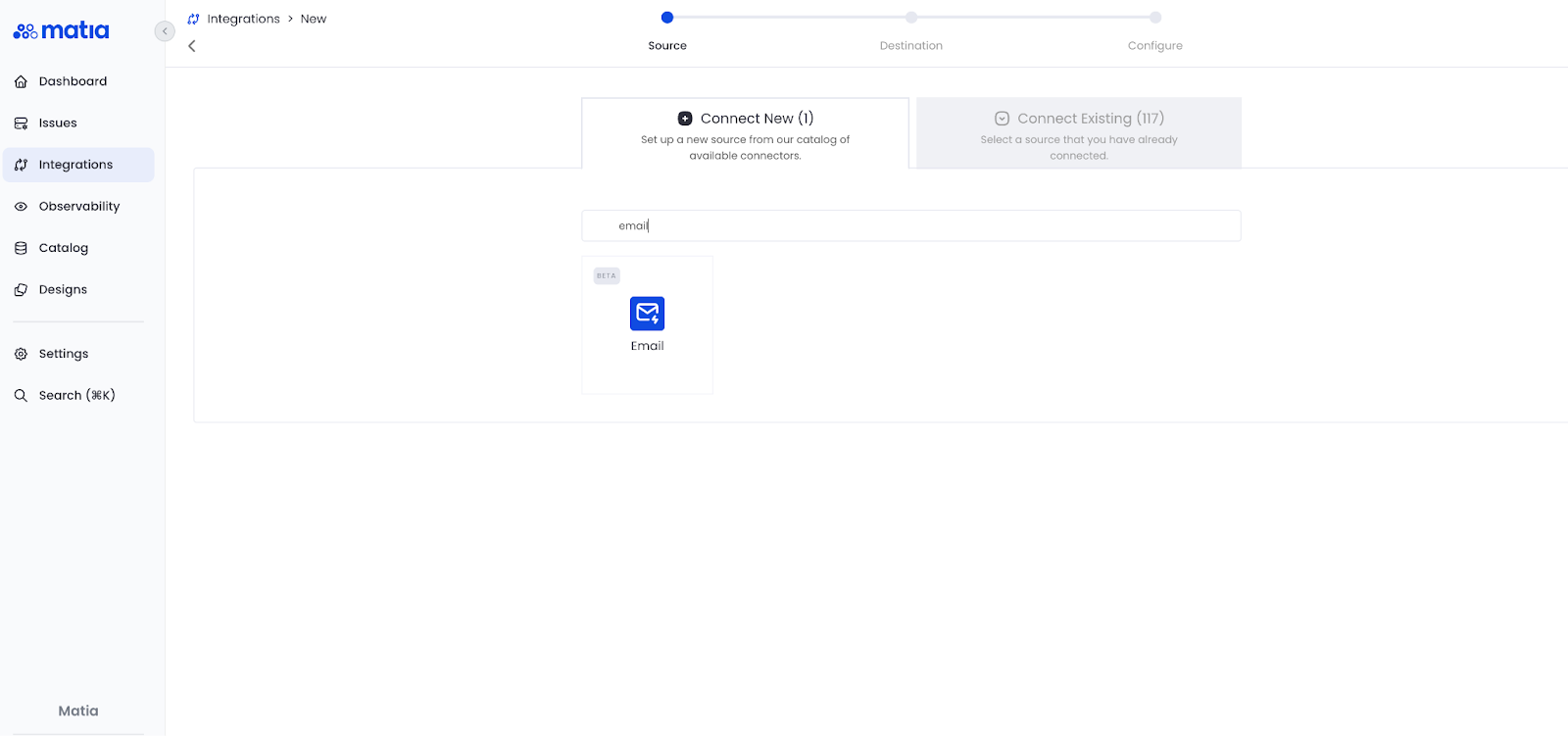
1. Create a new email integration
Set up a new Email Connector in your Matia workspace. It only takes a few clicks.
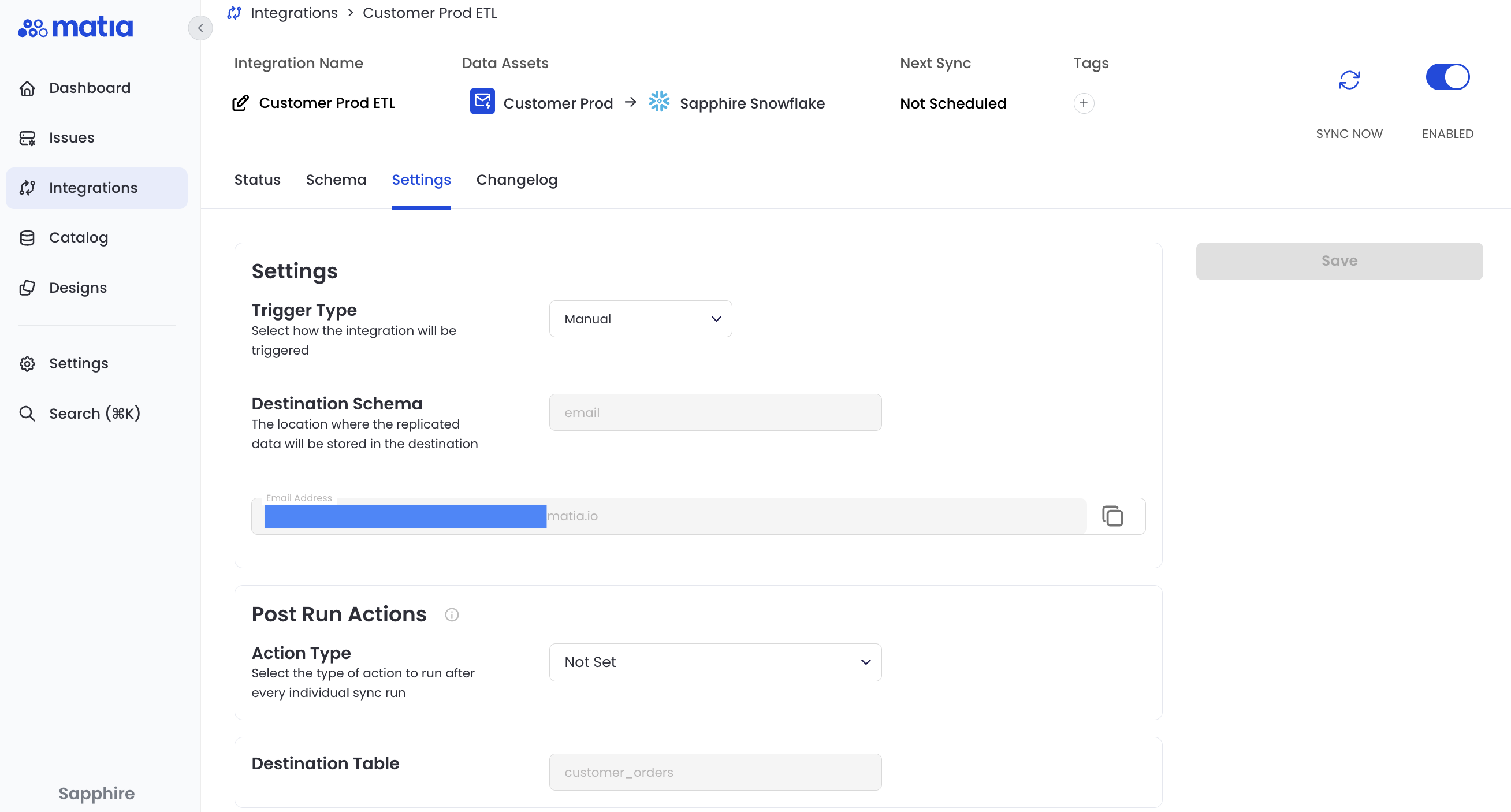
2. Copy your unique email address
Each integration gets its own secure, auto-generated Matia email address.
3. Send your data as email attachments
Simply forward or schedule emails with CSV, JSON, or JSONL attachments to that address.
.png)
4. Sync and see your data instantly
Click Sync, and Matia automatically processes, parses, and loads your files into your data warehouse. Clean, structured, and ready for analysis.

.png)






.svg)


